 O Horatio
Mac iPad iPhone
O Horatio
Mac iPad iPhone
Live transcription · 100 languages · nothing leaves your device
O Horatio is a transcription app for lectures, seminars and interviews. It writes down what is said while it is being said, works out who said it, and draws a map of what the hour was actually about. It all happens on the device in front of you — a Mac, an iPad, an iPhone — and there is nothing to subscribe to.
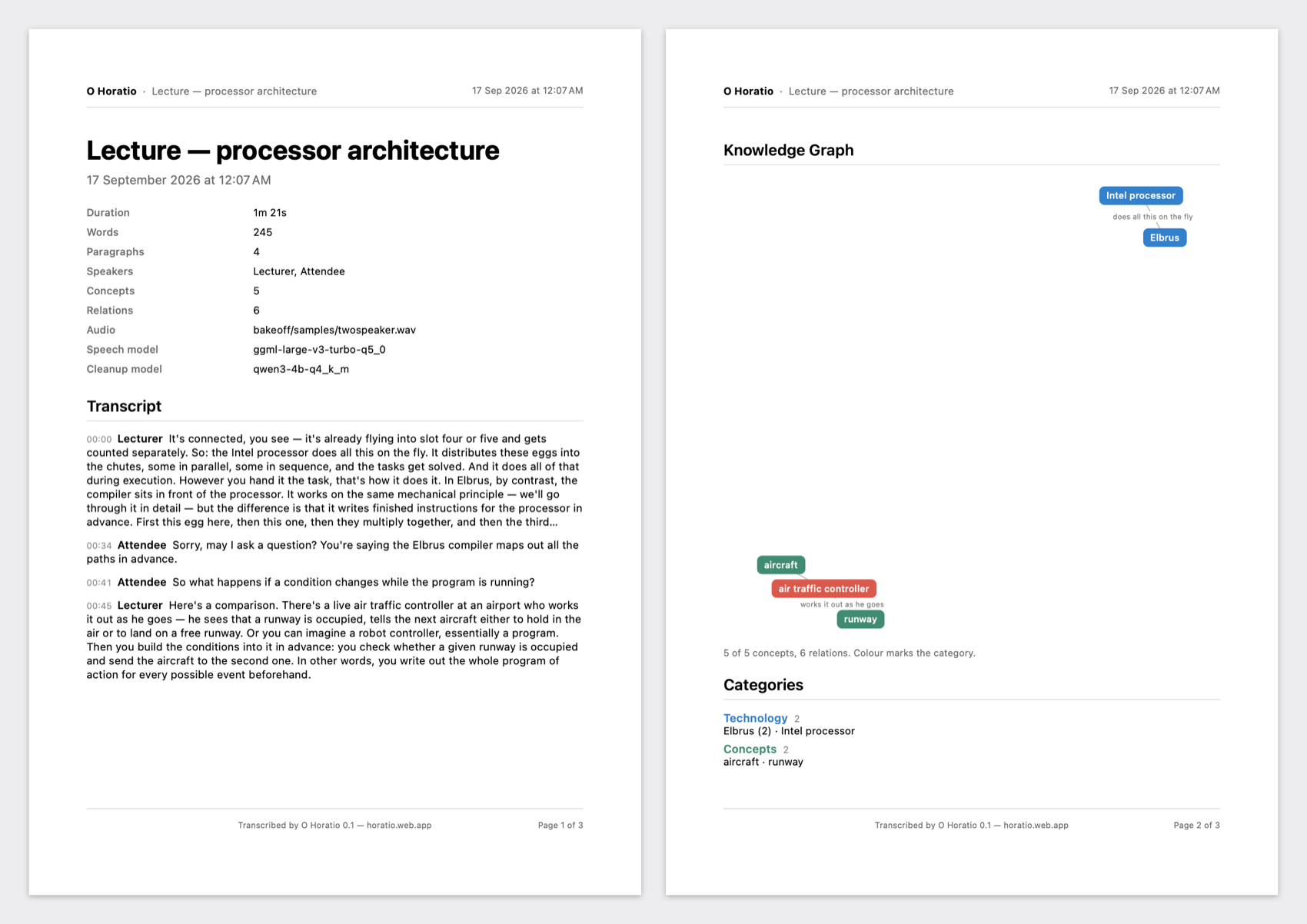
It’s connected, you see — it’s already flying into slot four or five and gets counted separately. So: the Intel processor does all this on the fly.
Here’s a comparison. There’s a live air traffic controller at an airport who works it out as he goes — he sees that a runway is occupied, tells the next aircraft either to hold in the air or to land on a free runway.
Sorry, may I ask a question? You’re saying the Elbrus compiler maps out all the paths in advance.
One app and one purchase across all three: buying Horatio Pro on any of them unlocks it on the others, because it follows your Apple Account and not the machine.
A Mac or an iPad is the one to use. Both run the full speech model with room to spare. A phone has far less of it, so it is given a smaller model by default — one that keeps up, and makes more mistakes for it. The phone is worth having for the lecture you did not plan to record; if you are choosing where to do this, choose the larger device.
macOS 14.2 or later, Apple silicon or Intel. The full speech model, and the only one of the three that records what the machine itself is playing — which is what makes it useful on a call rather than only in a room.
 Scan with your
iPadOS and iOS 17 or later, one download for both. The microphone alone — iOS lets no app hear another one — so it is for the room you are sitting in. An iPad runs the same speech model as a Mac. A phone gets a smaller one by default. The large model does run on a phone — only just faster than people speak, so a live transcript made with it drifts further behind the speaker the longer they talk. The smaller one keeps pace, and makes more mistakes doing it: real words, more of them wrong. Both are in the list on every device, and the large one is the better choice on a phone for transcribing a recording you already have, where nothing has to keep up with anybody.
Not a recording to deal with later. Three things, finished, on the machine you were sitting behind.
Every paragraph attributed, with a timestamp — so the question from the third row is the questioner’s, not the lecturer’s. Rename a speaker, merge one the app heard twice, move a boundary that landed a sentence early. Every edit undoes.
“More matter, with less art.” The filler goes, the punctuation arrives, mangled terminology is repaired against your own glossary — and the words as actually spoken are still there, one switch away, because a tidy transcript nobody can check is not a transcript.
The concepts the session actually covered, drawn as a graph you can move through. Prune a digression and the transcript condenses to match it. This is the part that turns an hour of speech into something you can revise from.
Four AI passes over the same hour of speech — live, or a recording you already have — and a document at the end of it.
Text appears as you talk. Settled sentences never change under you — only the last line updates, so reading along is not distracting.
A local language model strips filler and false starts, fixes punctuation and paragraphing, and repairs mangled terminology against your glossary. The raw transcript is always kept alongside.
The app is a 35 MB download because it ships the engines, not the weights. Those are fetched at no cost and live on the device: 547 MB for transcription on a Mac or iPad, 181 MB on an iPhone, and a language model for the fair copy, the graph and translation. On a Mac, if you already run Ollama, O Horatio finds it and offers what you have, so there is nothing new to download at all.
Works out who spoke when after you stop, so questions from the room are attributed. Rename them, or merge one that was detected twice.
Extracts what the lecture was actually about and draws it as a graph you can move through — the digression about airports sitting in its own cluster, away from the processor material. Prune it and the transcript condenses to match.
A PDF you can hand to the room: the transcript with speakers and timestamps, the concept graph drawn as a diagram, and every concept grouped by category — with the page running its own header and footer.
Import an audio or video file — File → Import Audio… on a Mac, the Session menu on an iPad or iPhone — and it goes through the same engine the microphone does, as fast as the device will take it. An hour of audio is minutes of work on a Mac, the text arriving as it goes, and nothing plays back while it works.
Stop half way and the next import offers to carry on from exactly where it stopped, rather than transcribing it all again. Files are recognised by their contents, so renaming or moving one changes nothing, and a file already transcribed in full says so instead of quietly making a second copy.
Every session is archived beside its transcript as it records — a 24 kbps Opus file, minutes of disk for an hour of speech. If the text is ever wrong you still have what was said, and next year’s better model can be run over this year’s lecture. You cannot add the audio back afterwards, which is why it is never thrown away.
A microphone that is connected but hearing nothing is named on screen, not discovered ninety minutes later. So is a transcriber that has fallen into a loop and written the same phrase forty times — the recording is unaffected, and the app tells you which paragraph to run again. Quiet failure is the only kind that actually costs you a lecture.
Split a paragraph where two speakers were merged into one, rename a speaker by double-clicking it, fold away a voice that was detected twice. Every edit undoes, and redoes, from the Edit menu.
A real session — a lecture on processor architecture, with a question from the room. It works the same on a rehearsal or an interview.
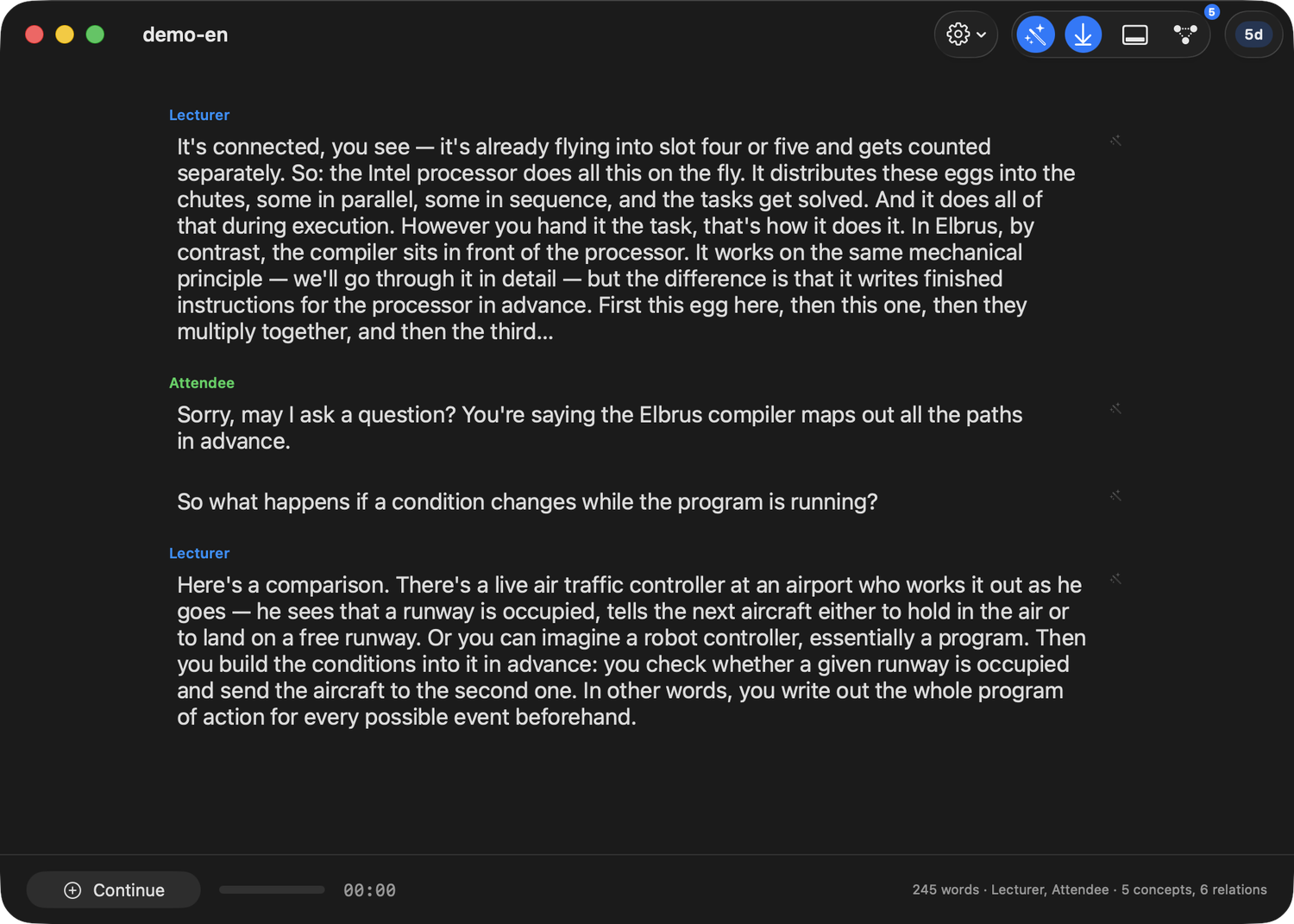

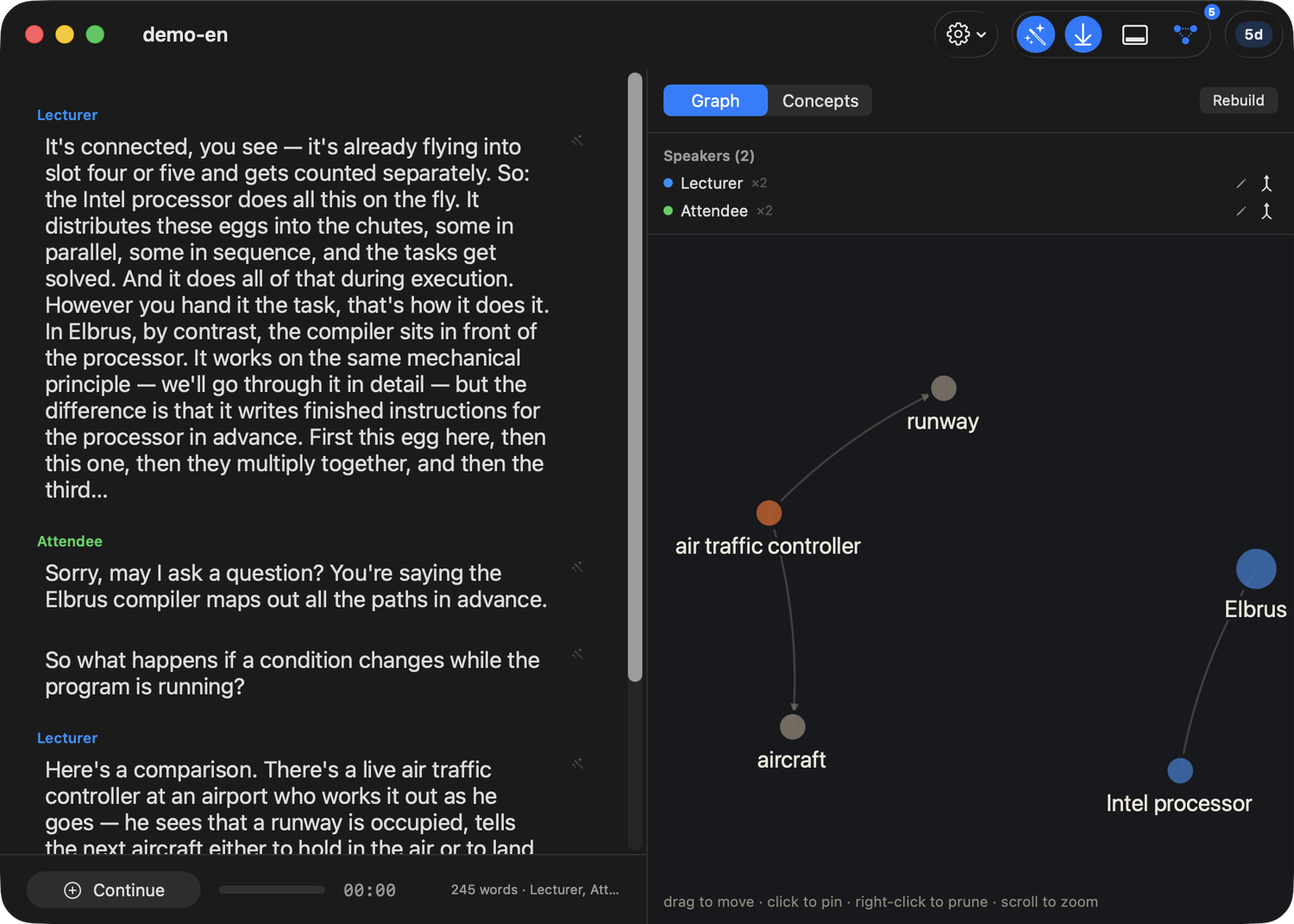
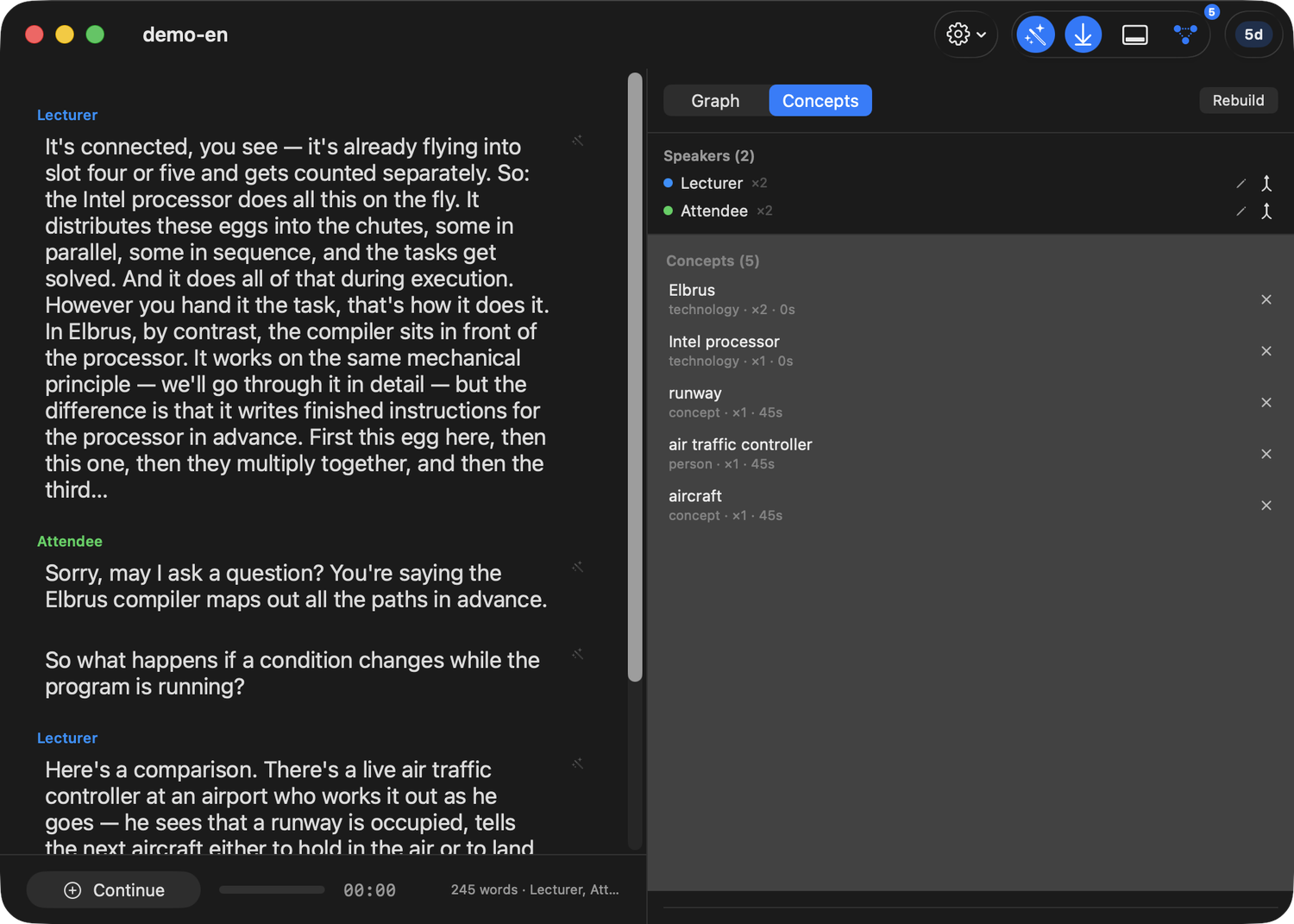
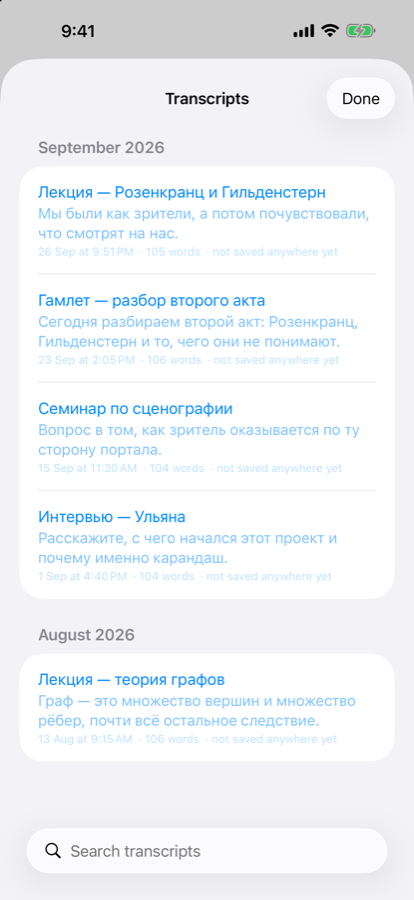
The same transcript, the same speaker colours and the same graph, on the device you actually carried into the room.
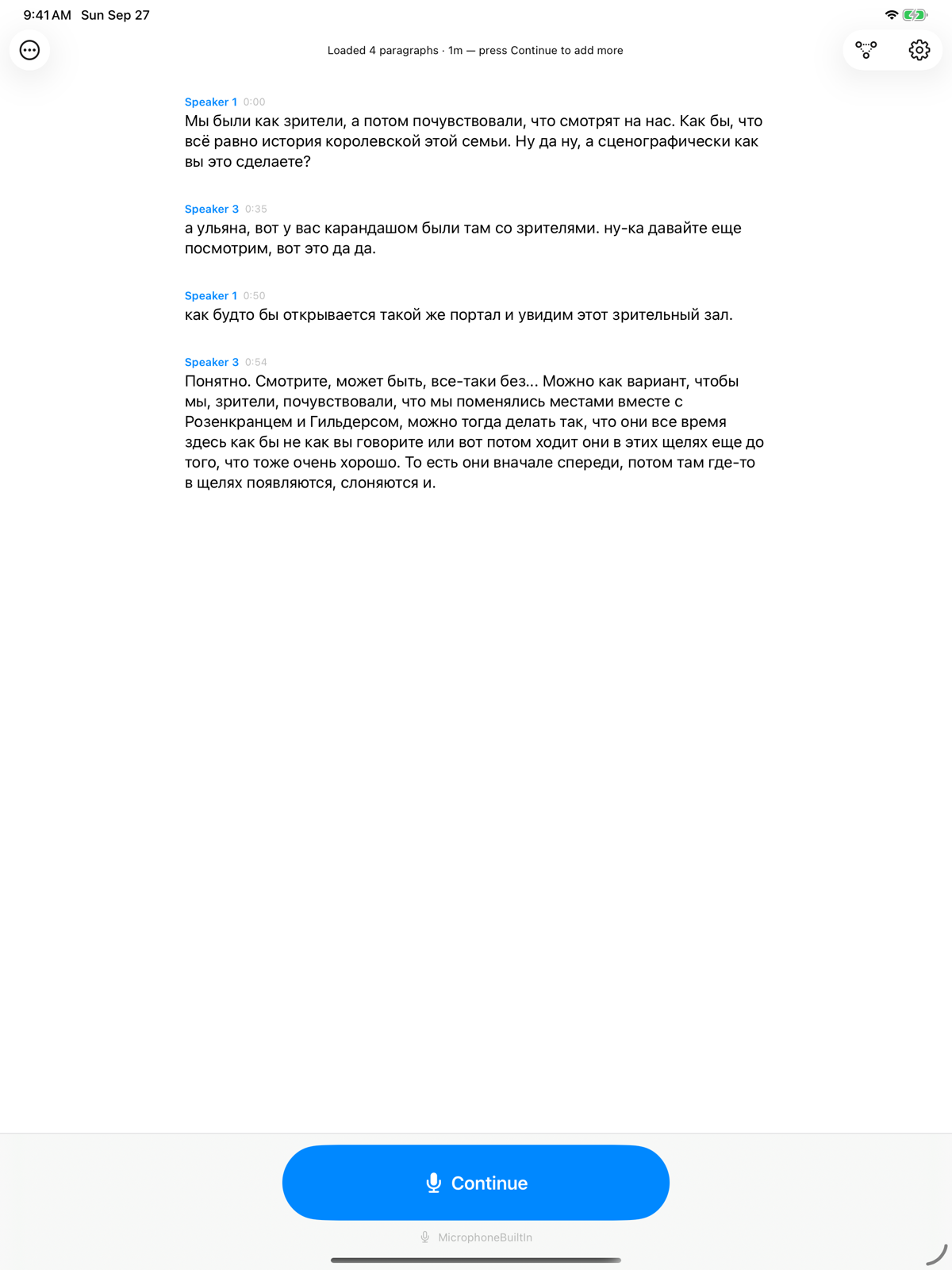
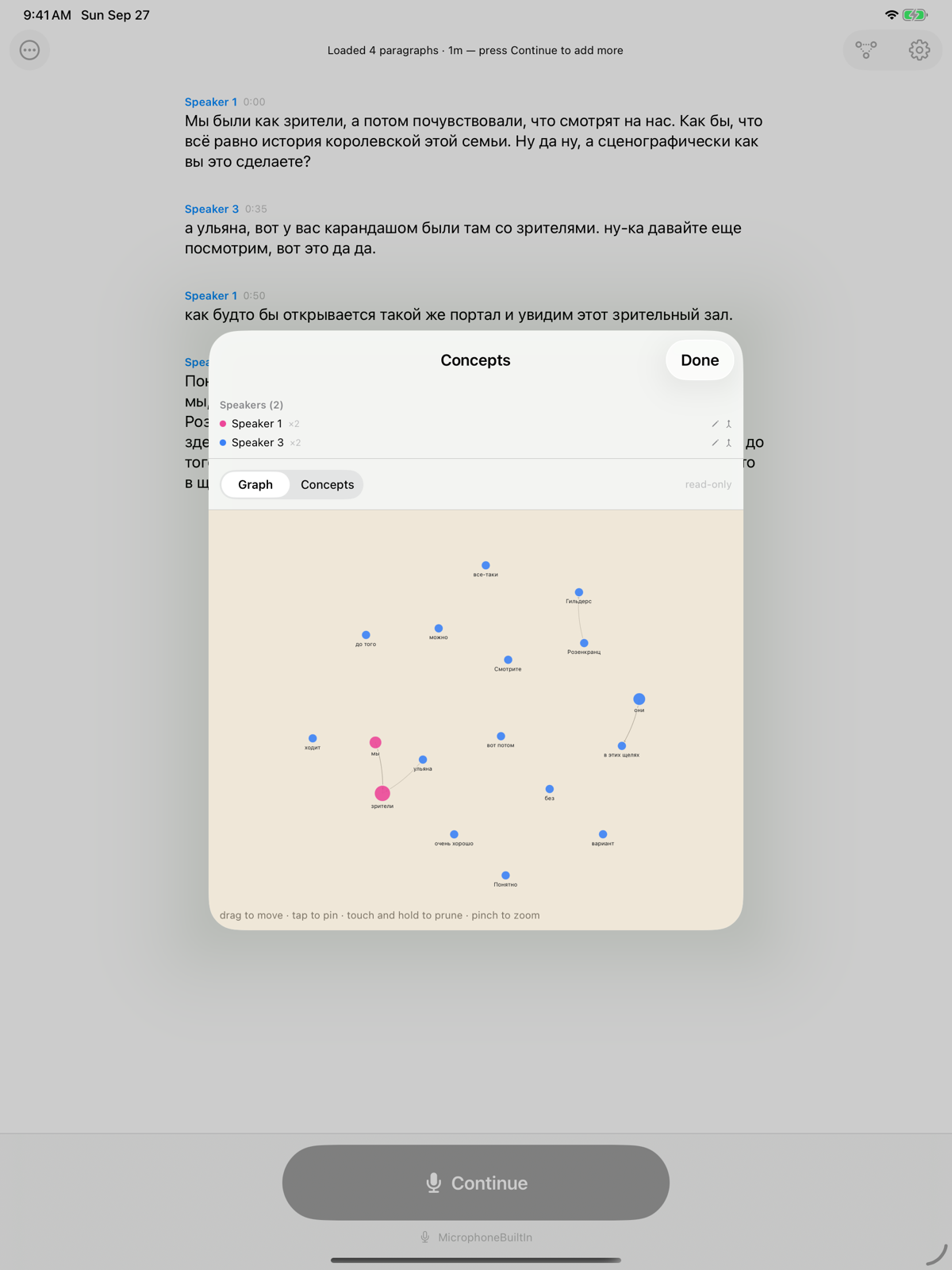
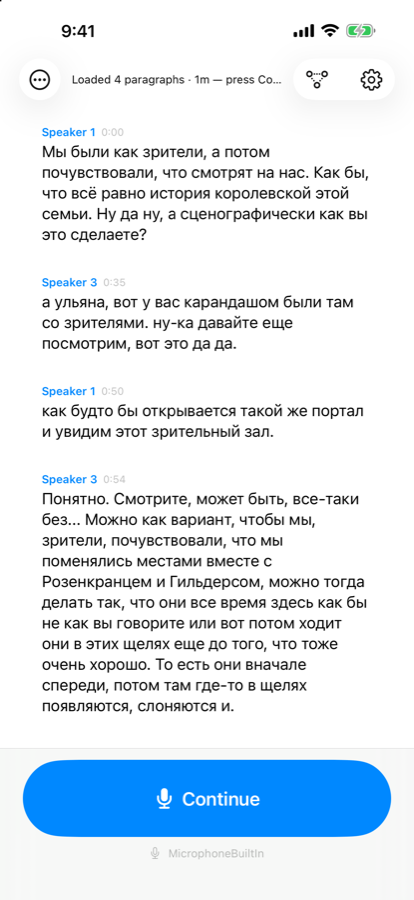
In Hamlet, everyone dies except one man. Hamlet spends his last breath giving Horatio a job: “report me and my cause aright… absent thee from felicity awhile, and in this harsh world draw thy breath in pain, to tell my story.”
O Horatio is the one who listens and reports faithfully — not the prompter feeding lines from the wings, but the witness who survives to say what was actually said. That is the whole job of this app: hear it, write it down, get it right.
O Horatio transcribes 100 languages and picks the right one by itself — you never set it. The rest of the pipeline is not uniform, so here is the honest answer by stage.
| Stage | Languages |
|---|---|
| Transcription | 100 languages, detected automatically |
| Speaker labels | Any — it listens to voices, not words |
| Fair copy | Any — measured in six |
| Knowledge graph | Any — least tested of the four |
The fair copy is made in whatever language O Horatio hears, and has been measured in Russian, English, French, German, Japanese and Polish. The concept graph follows the same path and has had the least testing of anything here.
Live transcription is free and stays free — the app records the room, writes it down and separates the speakers without paying anybody. Horatio Pro is $19.99, once. Not a month, not a year: one payment, on the Apple Account you already have, for as long as you own the app.
It follows your Apple Account rather than the machine, so the laptop you take to the lecture, the desktop you write it up on, and the phone in your pocket are one purchase between them. Not a licence per platform: one app, one unlock, wherever you are sitting.
There is no server to keep running, so there is nothing to bill you for keeping it running. The models are free, the transcription happens on your own machine, and an app that stops being sold tomorrow still works on the Mac you installed it on.
Everything Pro adds — the fair copy, the speaker labels, the concept graph, PDF export, importing recordings you already have, live translation — runs for five days before you pay for any of it. Long enough to put it through a real week's lectures.
Transcription, the fair copy, speaker labelling and concept extraction all happen on the Mac, iPad or iPhone in front of you. There is no O Horatio server, no account, and nothing to sign up for. Your recordings are files in your own Documents folder.
On a Mac, if you already run Ollama, O Horatio finds it and offers the models you have pulled, so there is nothing new to download. And if you would rather use a remote model for the fair copy, you can connect one — O Horatio tells you plainly, before you do, that the transcript text will leave your machine. Audio never does. Full privacy policy.